For your 2012 Honda Civic, the most common battery group size is Group 51R. Always confirm compatibility with your specific model and driving conditions to ensure reliable power.
Is your 2012 Honda Civic acting a little tired? Maybe the lights dim when you start the engine, or the starter sounds sluggish? Don’t worry, these are common signs that your car’s battery might be ready for a change. Replacing a car battery might seem like a big job, but it’s actually quite manageable for most car owners.
Finding the right battery can feel like a puzzle, especially when you’re not sure where to start. This guide is here to make it simple. We’ll walk you through exactly what you need to know to pick the perfect battery for your 2012 Honda Civic, ensuring it runs smoothly and reliably for years to come. Let’s get your Civic powered up right!
Understanding Your 2012 Honda Civic’s Battery Needs
Your car’s battery is like its heart, providing the initial surge of power to start the engine and then keeping all the electrical systems running smoothly. For a 2012 Honda Civic, selecting the correct battery size and type is crucial for optimal performance and longevity.
Why Battery Size Matters
When we talk about battery size, we’re not just talking about how big it is physically. We’re referring to a standardized sizing system that tells us a few important things:
Physical Dimensions: The battery needs to physically fit into the battery tray under your hood without being too loose or too tight. A loose battery can bounce around, potentially causing damage. A battery that’s too big simply won’t fit.
Terminal Placement: The positive and negative terminals (where you connect your cables) need to be in the correct position so your jumper cables reach easily and safely.
Electrical Specifications: While less about “size,” the battery’s capacity (how much power it can store and deliver) and cranking amps (how much power it can deliver to start the engine in cold weather) are also key considerations.
Common Battery Group Sizes
Battery manufacturers use a standard called the Battery Council International (BCI) group size system. This system assigns a number and sometimes a letter to batteries that share the same physical dimensions and terminal configuration. For many Honda Civics, including your 2012 model, the Group 51R is a very common fit.
Let’s break down what “51R” means:
51: This number indicates a specific set of physical dimensions.
R: The “R” signifies that the positive and negative terminals are reversed compared to a standard Group 51 battery. This is a critical detail for your Honda Civic.
Identifying the Right Group Size for Your 2012 Honda Civic
While Group 51R is the most common, it’s always best to be absolutely sure. Here’s how you can confirm:
1. Check Your Owner’s Manual: This is your car’s ultimate guide! It will clearly state the recommended battery group size. Look for a section on maintenance or specifications.
2. Inspect Your Current Battery: Take a look at the label on your existing battery. The BCI group size is usually printed on it. If it’s already been replaced, it might have a different size, but the manual or the OEM recommendations will point you to the correct one.
3. Consult Online Resources: Many battery manufacturers and auto parts stores have online tools where you can enter your car’s make, model, and year to see compatible batteries. These are usually very reliable.
4. Ask a Professional: If you’re still unsure, a visit to a trusted mechanic or an auto parts store can quickly clear up any doubts.
Key Battery Specifications to Consider
Beyond just the group size, a few other specifications are important to ensure you’re getting a battery that performs well for your 2012 Honda Civic.
Cold Cranking Amps (CCA)
Cold Cranking Amps (CCA) tell you how much power the battery can deliver for starting the engine in freezing temperatures (0°F or -18°C).
Why it matters: If you live in a colder climate, a higher CCA rating is beneficial. It ensures your Civic can still start reliably even when it’s very cold outside.
Recommendation: Your 2012 Honda Civic owner’s manual will specify a minimum CCA value. Aim for a battery that meets or slightly exceeds this minimum for optimal performance in colder conditions. Generally, a CCA rating between 400-500 is suitable for this model, but always check your manual for the precise recommendation.
Reserve Capacity (RC)
Reserve Capacity (RC) indicates how long a fully charged battery can supply power at a specific discharge rate (usually 25 amps) before its voltage drops below a usable level.
Why it matters: This spec is important for when your engine is off but you’re running accessories like the radio or lights for an extended period. A higher RC means your battery can power these accessories for longer without draining.
Recommendation: While often less critical than CCA for everyday driving, a higher RC is always a good thing. Look for a Reserve Capacity of at least 70 minutes or more.
Battery Type: Maintenance-Free vs. Serviceable
Maintenance-Free (Sealed) Batteries: These are the most common type today. They are sealed and do not require you to check or add water. They are generally more reliable and leak-resistant. Most 2012 Honda Civic batteries are of this type.
Serviceable (Flooded) Batteries: These have removable caps that allow you to check and add distilled water. They often offer slightly higher performance for their cost but require regular maintenance to prevent the plates from drying out.
For a 2012 Honda Civic, a maintenance-free battery is almost always the best and most convenient choice.
Comparing Battery Brands and Technologies
When you’re ready to buy, you’ll see batteries from various brands and with different internal technologies.
Top Battery Brands for Your 2012 Honda Civic
Many reputable brands offer batteries that fit the Group 51R size. Some popular and reliable choices include:
Optima: Known for their advanced SpiralCell Technology, offering durability and vibration resistance.
DieHard: A long-standing trusted name in automotive batteries, offering good performance and value.
ACDelco: A popular choice, often found as original equipment, known for reliability.
Interstate Batteries: Well-regarded for their quality and widely available dealer network.
EverStart Maxx (Walmart): Often a budget-friendly option that still provides reliable performance for the price.
Battery Technologies: Lead-Acid vs. AGM
Standard Lead-Acid (Flooded): This is the traditional battery technology. It’s typically the most affordable option.
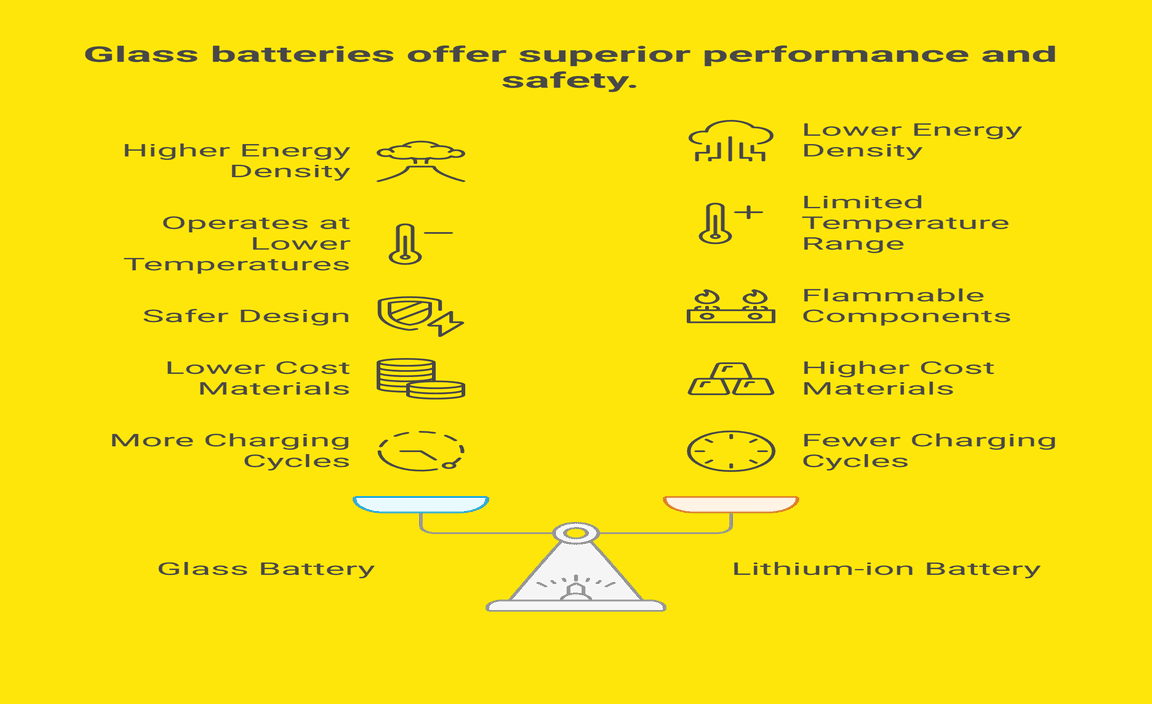
Absorbent Glass Mat (AGM): AGM batteries are a more advanced type of lead-acid battery. The electrolyte is held in fiberglass mats, making them more resistant to vibration, leaks, and deep discharge. They often have longer lifespans and better performance, especially in extreme temperatures.
Should you upgrade to AGM for your 2012 Honda Civic?
If your Civic is equipped with advanced electronics like start-stop technology or has a high demand for power due to aftermarket accessories, an AGM battery might be a worthwhile upgrade. However, for a standard 2012 Honda Civic without these specific features, a high-quality conventional lead-acid battery will perform perfectly well and is usually more cost-effective. Always ensure the battery management system in your car is compatible with AGM if you choose to go that route. However, for your 2012 Civic lacking advanced energy management systems, a standard flooded battery is generally sufficient.
Table: Group 51R Battery Specifications Summary
Here’s a quick look at what you might expect from a Group 51R battery for your 2012 Honda Civic:
| Specification | Typical Range for 51R | Importance for 2012 Civic |
| :——————— | :——————– | :———————————————————– |
| BCI Group Size | 51R | Essential: Ensures physical fit and terminal orientation. |
| Voltage | 12V | Standard for all cars. |
| CCA (Cold Cranking Amps) | 400-500+ | Crucial for starting in cold weather. Check manual for minimum. |
| RC (Reserve Capacity) | 70-100+ minutes | Important for powering accessories when the engine is off. |
| Dimensions (Approx.) | L: ~9.3″ W: ~5.1″ H: ~7.2″ (varies slightly) | Must fit battery tray. Terminal placement is critical for 51R. |
| Terminal Type | SAE Post | Standard automotive battery posts. |
| Type | Maintenance-Free (Sealed) | Most common, convenient, and leak-resistant. |
Note: Exact specifications can vary between manufacturers. Always verify with the product details.
How to Replace Your 2012 Honda Civic Battery: A Step-by-Step Guide
Replacing your car battery is a task many DIYers can handle. Safety is paramount, so follow these steps carefully.
Safety First!
Wear Safety Glasses: Batteries contain sulfuric acid, which can cause serious eye damage.
Wear Gloves: Protect your hands from acid and dirt.
Work in a Well-Ventilated Area: Batteries can release flammable hydrogen gas.
Turn Off the Engine and Remove the Key: Ensure absolutely no power is flowing.
Avoid Sparks and Flames: Keep metal objects away from the battery terminals, as this can cause a spark.
Know Your Battery: If you have an older, serviceable battery, be extremely careful when removing the caps.
Tools You’ll Need
Wrench Set or Socket Set: Typically a 10mm and possibly a 13mm wrench or socket for the terminal clamps and hold-down bracket.
Battery Terminal Cleaner Tool: A small wire brush specifically designed for cleaning battery terminals and cable clamps.
Gloves and Safety Glasses: (As mentioned above)
Rag or Paper Towels: For cleaning up any corrosion.
New Battery: The correct Group 51R battery for your 2012 Honda Civic.
Step-by-Step Replacement Process
1. Locate the Battery: Open the hood of your 2012 Honda Civic. The battery is usually on one side of the engine bay, often near the front.
2. Identify Terminals: Note which terminal is positive (+) and which is negative (-). The positive terminal is usually marked with a plus sign and may have a red cover. The negative terminal has a minus sign.
3. Disconnect the Negative Cable First: Using your wrench, loosen the nut on the clamp of the negative (-) terminal. Do not remove the nut completely; just loosen it enough to slide the clamp off the terminal post. Move the cable aside so it cannot accidentally touch the battery terminal. Always disconnect the negative terminal first to prevent short circuits.
4. Disconnect the Positive Cable: Now, loosen the nut on the clamp of the positive (+) terminal and slide it off the terminal post. Move this cable aside as well.
5. Remove the Hold-Down Bracket: Most batteries are secured by a bracket at the base or top. You’ll need to remove the bolts or nuts holding this bracket in place. Keep these parts safe; you’ll need them for the new battery.
6. Lift Out the Old Battery: Carefully lift the old battery out of the tray. Batteries are heavy, so use proper lifting techniques (bend your knees, keep your back straight). Take note of its orientation.
7. Clean the Battery Tray and Terminals: Use a rag and possibly a mild cleaner to wipe down the battery tray. Use the battery terminal cleaner tool to thoroughly clean the inside of the terminal clamps and the battery posts of the new battery. This ensures a good connection.
8. Place the New Battery: Carefully place the new Group 51R battery into the tray, ensuring it’s oriented correctly – the positive and negative terminals should align with the cables just like the old one.
9. Secure the Hold-Down Bracket: Reinstall the hold-down bracket and tighten its bolts or nuts to secure the new battery firmly in place. It should not be able to move.
10. Connect the Positive Cable First: Reattach the clamp for the positive (+) terminal onto the battery post. Tighten the nut firmly with your wrench. Always connect the positive terminal first when installing.
11. Connect the Negative Cable: Reattach the clamp for the negative (-) terminal onto the battery post. Tighten the nut firmly.
12. Check Connections: Give both cables a gentle tug to ensure they are secure and won’t slip off.
13. Start Your Car: Close the hood. Get inside your 2012 Honda Civic and start the engine. It should start up with ease. Your radio presets might be lost, and you may need to reset your clock and possibly other electronic systems like your infotainment center.
If you’re uncomfortable with any part of this process, don’t hesitate to take your car to a professional.
Maintaining Your Battery for Longevity
A little care goes a long way in extending the life of your new battery.
Regular Cleaning
Check for Corrosion: Occasionally inspect the battery terminals for white, powdery corrosion. This can interfere with the electrical connection.
Clean if Necessary: If you see corrosion, disconnect the battery (negative first, then positive) and use a battery terminal cleaner tool or a wire brush to scrub the terminals and clamps. You can use a baking soda and water solution to neutralize acid, then rinse with clean water and dry thoroughly before reconnecting (positive first, then negative).
Avoid Deep Discharges
Don’t Leave Lights or Accessories On: Try not to leave headlights, interior lights, or the radio on for extended periods with the engine off.
Short Trips: Frequent very short trips can prevent the alternator from fully recharging the battery. If you primarily take short trips, consider taking the car for a longer drive (30 minutes or more) once a week or so.
Extreme Temperatures
Heat: Extreme heat can shorten a battery’s lifespan by accelerating internal chemical reactions. Parking in the shade can help.
Cold: Extreme cold reduces a battery’s ability to deliver power. Ensure your battery has sufficient CCA for your climate.
Battery Testing
Annual Checks: It’s a good idea to have your battery load-tested annually, especially as it ages. Many auto parts stores offer free battery testing. This can help you identify a weakening battery before it leaves you stranded.
When is it Time to Replace Your Battery?
Batteries don’t last forever. While they typically last 3-5 years, several signs indicate it’s time for a replacement:
Slow Engine Crank: The engine cranks over slowly, especially on cold mornings.
Dim Lights: Headlights or interior lights dim when you start the engine or when accessories are running.
Warning Lights: The battery warning light on your dashboard illuminates (though this can also indicate an alternator issue).
Corrosion: Excessive corrosion on the terminals that is difficult to clean.
Swollen Battery Case: A bulging or swollen battery case is a sign of damage and a potential safety hazard.
Age: If your battery is over 3-4 years old, it’s wise to have it tested regularly, even if it seems to be performing well.
Frequently Asked Questions (FAQ)
Got more questions about your 2012 Honda Civic battery? Here are some common ones to help you out.
Q1: What is the most common battery size for a 2012 Honda Civic?
A1: The most common battery size, or BCI group size, for a 2012 Honda Civic is Group 51R. This size accounts for the physical dimensions and the reversed terminal orientation needed for this vehicle.
Q2: Can I use a different size battery in my 2012 Honda Civic?
A2: It’s generally not recommended. Using a battery that isn’t the correct Group size (like 51R for your Civic) can lead to issues with fitment, terminal connection, and safety. Stick to the manufacturer-recommended size for the best results.
Q3: How do I know if my 2012 Honda Civic battery needs replacing?
A3: Signs include a slow engine crank, dimming lights when starting, electrical issues, or if the battery is more than 3-4 years old. A professional battery test can also confirm its condition.
Q4: What does the “R” in 51R mean?
A4: The “R” in 51R indicates that the battery has reversed terminal posts compared to a standard Group 51 battery. For your 2012 Honda Civic, the positive terminal will be on the right side (when viewing from the front) and the negative on the left.
Q5: Do I need an AGM battery for my 2012 Honda Civic?
A5: For a standard 2012 Honda Civic without advanced start-stop technology or significant aftermarket electronics, a high-quality conventional flooded lead-acid battery is typically sufficient and more cost-effective. An AGM battery may offer benefits but is often not strictly required.
<p