Upgrade your Oculus experience with a battery pack to extend playtime and boost VR fun. This guide shows you why it’s essential and how to pick the right one.
Tired of your Oculus cutting out mid-game? That familiar red low-battery warning can be a real buzzkill, especially when you’re in the middle of an epic virtual adventure. It’s a common frustration for many VR enthusiasts, cutting sessions short and pulling you out of the immersive world. But don’t worry, there’s a simple, effective solution that will keep you playing longer and enjoying your Oculus without those dreaded interruptions. We’re here to guide you through understanding why a battery pack is a game-changer and show you exactly what to look for to get the best one. Get ready to dive deeper into your virtual reality without the battery anxiety!
Why a Battery Pack is a Must-Have for Your Oculus

The standard Oculus battery life is good, but “good” often isn’t enough when you’re truly lost in virtual worlds. Whether you’re battling aliens, exploring ancient ruins, or creating masterpieces in VR art studios, more playtime means more enjoyment and deeper immersion. A battery pack acts as an extension of your Oculus’s power, allowing you to continue your adventures for hours longer than the internal battery alone.
Think of it like this: your phone has a battery, but how often do you also carry a portable power bank? It’s the same principle for your VR headset. It provides that crucial extra juice when you need it most, ensuring your VR sessions aren’t cut short by a dead headset. This isn’t just about convenience; it’s about enhancing the entire VR experience.
Benefits of Using a Battery Pack
- Extended Playtime: The most obvious benefit. Play for significantly longer without needing to plug into a wall.
- Increased Immersion: No more interruptions. Stay focused on your game or experience without the worry of your headset dying.
- Portability and Freedom: Many battery packs are designed to be comfortable and unobtrusive, often attaching to the headset itself, allowing for full freedom of movement.
- Backup Power: Even if you start with a full charge, a battery pack provides a reliable backup for extended sessions.
- Potential for Cooler Operation: Some battery packs can help dissipate heat away from the headset, potentially leading to a more comfortable experience during long sessions.
Understanding Oculus Battery Needs
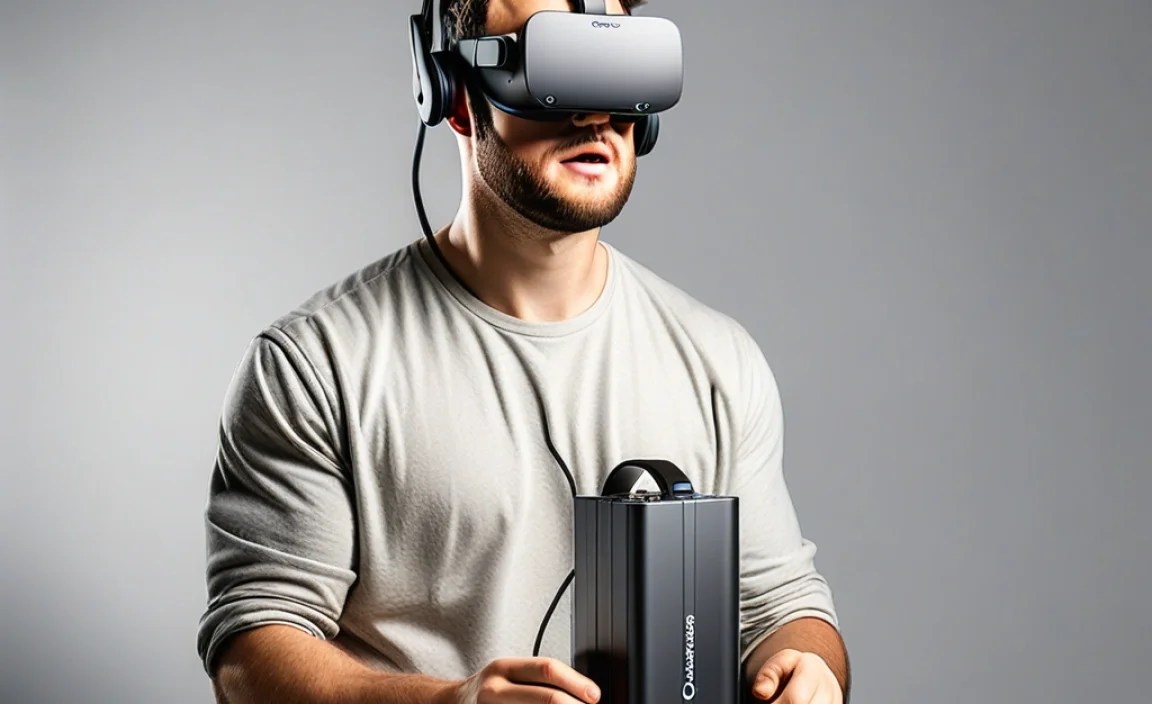
Before diving into specific battery packs, it’s helpful to understand what your Oculus headset actually needs. Different Oculus models have varying battery capacities and power draw. For instance, the Quest 2 and Quest 3 both have internal batteries, but their power consumption can differ based on the intensity of the application being run. Higher-fidelity games and experiences will drain the battery faster than simpler ones.
The goal of a battery pack is to supplement this internal battery, effectively “fast-charging” or providing continuous power. It’s not just about raw capacity (measured in milliampere-hours or mAh), but also about how efficiently it delivers power and how it integrates with your headset without adding excessive weight or bulk.
Key Battery Pack Specifications to Consider for Oculus
When shopping for a battery pack, you’ll encounter several key specifications. Let’s break them down in simple terms:
- Capacity (mAh): This number tells you how much energy the battery pack can store. Higher mAh means more power and longer playtime. For Oculus, aim for at least 5,000 mAh for a noticeable extension, but 10,000 mAh or more will offer truly extended sessions.
- Output Power (Volts/Amps): This determines how quickly the battery pack can charge your Oculus. Look for a pack that matches or exceeds the original charger’s output to ensure efficient charging. Many modern packs support fast charging technologies.
- Input Power: This refers to how quickly the battery pack itself can be recharged. A higher input rating means less waiting time to get your power bank ready for its next use.
- Size and Weight: A battery pack that’s too bulky or heavy can make wearing your Oculus uncomfortable. Look for designs that distribute weight evenly or integrate neatly with the headset.
- Connectivity: Most Oculus battery packs will connect via USB-C, either to the headset’s charging port or sometimes to a dedicated port on a strap. Ensure compatibility with your specific Oculus model.
- Durability and Build Quality: You want a battery pack that feels solid and reliable, capable of withstanding occasional bumps or drops.
Remember, a higher mAh doesn’t always mean better performance if the output power is too low. It’s a balance, much like choosing the right car battery for your vehicle; you need the right capacity and cranking amps.
Types of Oculus Battery Packs

Battery packs for Oculus come in a few different forms, each with its own advantages. Understanding these types will help you choose the one that best suits your play style.
1. External Power Banks
These are the most common portable chargers. They are standalone units that you can connect to your Oculus via a USB cable. Some can be stored in a pocket or attached to a belt or backpack.
Pros:
- Versatile: Can also be used to charge your phone, tablet, or other USB-powered devices.
- Wide Range of Capacities: Available in virtually any mAh rating, from small top-ups to multi-day power solutions.
- Generally More Affordable: Often less expensive than integrated solutions.
Cons:
- Cable Management: Requires managing a USB cable, which can sometimes get in the way during active gameplay.
- Weight Distribution: Can unbalance the headset if not positioned carefully.
- Less Integrated: Might not feel as seamless as solutions designed specifically for the headset.
2. Integrated Headset Straps with Batteries
These are specifically designed battery packs that replace or attach to your Oculus’s original head strap. They often have the battery built into the rear of the strap, helping to balance the weight of the headset and provide power simultaneously.
Pros:
- Optimized Weight Balance: Distributes weight more evenly, often making the headset more comfortable for long periods.
- Seamless Integration: Designed to work perfectly with the headset, minimizing cable snagging.
- Convenience: Power boost and improved comfort in one accessory.
Cons:
- Higher Cost: Typically more expensive than basic power banks.
- Less Versatile: Primarily designed for the Oculus, not generally used for other devices.
- May Add Bulk: Can make the headset slightly larger in size.
3. Compact Battery Clips/Attachments
Some smaller battery solutions clip directly onto the headset or a compatible strap. These are usually lower capacity but are very lightweight and unobtrusive.
Pros:
- Lightweight and Minimal: Adds very little extra weight or bulk.
- Easy to Attach/Detach: Quick to install for extended sessions.
Cons:
- Lower Capacity: Offers less extended playtime compared to larger packs.
- Limited Options: Fewer models available compared to full power banks or straps.
Factors to Consider When Choosing Your Oculus Battery Pack

Now that you know the types, let’s dig into what matters most for your specific needs. Choosing the right battery pack can feel like selecting the right car battery – it needs to be compatible and provide reliable power.
Comfort and Ergonomics
VR is about immersion. If your headset becomes uncomfortable due to added weight or bulk, it detracts from the experience. For integrated straps, look for designs that cradle the back of your head for support. For external packs, consider where you’ll position them to maintain balance. Some users prefer a pack attached to their waistband or a pocket rather than directly on the headset.
Battery Capacity vs. Playtime Extension
A 5,000 mAh pack might give you an extra 1-2 hours of playtime, while a 10,000 mAh pack could double your session time. Consider how long your typical VR sessions are and how much extra time you genuinely need. Don’t overspend on massive capacity if you only play for an hour at a time.
Charging Speed
Both the speed at which the battery pack charges your Oculus and the speed at which the battery pack itself recharges are important. If you’re in a hurry, a fast-charging battery pack that also supports fast input charging is invaluable. Look for USB Power Delivery (PD) or Quick Charge (QC) compatibility.
Durability and Build Quality
Your VR gear, including accessories, should be built to last. Check reviews for comments on how well the battery pack holds up to regular use. A well-built unit will offer peace of mind and a better long-term value.
Safety Features
Like any power device, battery packs have safety features. Look for packs with over-voltage protection, over-current protection, short-circuit protection, and temperature control. This ensures both your Oculus and the battery pack remain safe during use and charging. Reputable brands often highlight these features prominently.
| Feature | Importance for Oculus Battery Pack | What to Look For |
|---|---|---|
| Capacity (mAh) | Determines how long it extends playtime. | Minimum 5,000 mAh; 10,000+ mAh for extended use. |
| Weight/Ergonomics | Crucial for comfortable, long VR sessions. | Lightweight, balanced design; consider strap attachments. |
| Output Power | Ensures efficient charging speed. | Match or exceed Oculus charging requirements (e.g., 5V/2A or higher). Avoid slow chargers. |
| Input Charging Speed | How quickly the pack itself recharges. | Look for fast charging support (e.g., USB PD, QC). |
| Build Quality | Ensures longevity and reliability. | Solid construction, good materials, positive user reviews. |
| Safety Features | Protects both the pack and your Oculus. | Over-voltage, over-current, short-circuit, and thermal protection. |
| Connectivity | Ensures it works with your Oculus. | USB-C is standard; check compatibility. |
Example Use Case: Extending a Quest 3 Session
Let’s say your Oculus Quest 3 typically lasts about 2-3 hours. If you plan a longer gaming marathon or want to watch a VR movie that’s longer than that, a 10,000 mAh battery pack could potentially add another 4-6 hours of use. This means a single charge of your battery pack could enable an all-day VR experience!
Installation and Usage Tips
Getting your battery pack set up is usually straightforward, but a few tips can make the process smoother and ensure you get the best performance.
Step-by-Step Installation (General Guide)
- Read the Manual: Always start by reading the specific instructions that came with your battery pack and any adapter or strap.
- Charge the Battery Pack: Before first use, fully charge your new battery pack. This ensures it’s ready to go and helps calibrate its internal battery meter.
- Connect to Oculus:
- For External Power Banks: Connect a suitable USB-C cable from the battery pack’s output port to your Oculus headset’s charging port. Some headsets may benefit from having the battery pack plugged in even when the headset is on, while others are best charged when off to avoid disconnection issues.
- For Integrated Straps: This usually involves removing the original strap and attaching the new one, which may have an integrated battery that connects internally to the headset. Follow the manufacturer’s instructions carefully for securing the strap and connecting any internal power cables.
- Power On and Test: Turn on your Oculus. You should see it either charging or see that the overall battery level is maintained.
Best Practices for Battery Pack Maintenance
- Regular Charging: Don’t let the battery pack sit completely discharged for extended periods, as this can degrade its long-term capacity.
- Avoid Extreme Temperatures: Like your phone’s phone battery, keep battery packs away from extreme heat (like a hot car) or cold.
- Use Quality Cables: Always use the charging cable provided with the battery pack or a reputable, high-quality replacement cable. Cheap cables can hinder charging speed or even be a safety risk.
- Monitor Battery Health: Over time, all rechargeable batteries degrade. If you notice a significant drop in how long your battery pack lasts, it might be nearing the end of its lifespan.
- Clean Connections: Periodically check the USB-C ports on both the battery pack and your Oculus for any dust or debris that could impede a good connection. A gentle puff of compressed air usually does the trick, similar to cleaning out your car’s charge port.
Popular Oculus Battery Pack Options (Hypothetical Examples)
While specific models change rapidly, here are general categories and what to look for in well-regarded options. Always check for compatibility with your specific Oculus model (Quest, Quest 2, Quest 3).
Option 1: The “Endurance” Power Bank (e.g., 15,000 mAh)
This is for the dedicated VR gamer who wants to play all day. It’s a higher-capacity external power bank.
- Pros: Massive playtime extension, versatile for other devices, often includes fast-charging ports.
- Cons: Can be bulky, requires cable management, might be heftier than desired.
- Ideal for: Long, uninterrupted VR sessions, streaming VR content, users at gaming conventions or VR arcades.
Option 2: The “Balanced” Strap (e.g., Integrated Rear Battery)
This often comes as a replacement for the standard strap, with the battery built into the back. Brands like BoboVR or Kiwi are known for these types of accessories.
- Pros: Excellent weight distribution, clean integration, often hot-swappable batteries (some models).
- Cons: Higher price point, less versatile than a standalone power bank, adds some bulk to the rear.
- Ideal for: Enhancing comfort during long play sessions, users who prioritize a seamless VR experience.
Option 3: The “Compact Boost” (e.g., 5,000 mAh Clip-on)
A smaller, lighter option for those who need a bit more juice without much added weight.
- Pros: Very lightweight, easy to attach, provides a solid extra hour or two of playtime.
- Cons: Limited extended playtime compared to larger options.
- Ideal for: Casual users, short play sessions needing a little buffer, those concerned about adding any significant weight.
When evaluating, consider how each option aligns with the practical advice you’d get from a mechanic about choosing the right replacement part – it needs to fit, perform, and be reliable, much like a new car battery. Look for reviews and specifications that promise balanced performance for your specific Oculus headset.
Frequently Asked Questions (FAQ)
Q1: Will a battery pack drain my Oculus battery faster?
No, a quality battery pack works by providing external power. It essentially supplements or recharges your headset’s internal battery, allowing you to play for longer. It doesn’t force the internal battery to work harder in a way that would speed up its degradation compared to normal use.
Q2: Can I use any USB power bank with my Oculus?
Yes, most USB power banks can be used, but compatibility and charging speed vary. It’s best to use a power bank with sufficient output power (at least 5V/2A) and a USB-C connection that matches your Oculus. Very low-power banks might charge too slowly or not at all while the headset is in use.