Quick Summary: The most common battery size for Harley-Davidson key fobs is the CR2032. Always check your specific owner’s manual for confirmation, as some older or specialized models might use a different type. Replacing it is a simple DIY task that keeps your security system working perfectly.
Keeping your Harley-Davidson running smoothly involves more than just the engine. Your key fob is a little powerhouse, controlling your bike’s security system and allowing for convenient features. When its battery starts to fade, you might find yourself locked out of that peace of mind. It’s a common hiccup that can happen to any rider, but thankfully, it’s usually a super easy fix. You can handle this yourself with just a few basic tools and a little know-how. This guide will walk you through exactly what you need to know about your Harley key fob battery, from identifying the right size to making the swap. Let’s get your ride’s security back in tip-top shape!
Understanding Your Harley Key Fob Battery

Your Harley-Davidson key fob isn’t just a piece of plastic; it’s a crucial part of your motorcycle’s security and convenience system. It communicates wirelessly with your bike, allowing you to arm and disarm the alarm, and often, to start your engine without inserting a physical key. This wireless magic is powered by a small, coin-cell battery. Over time, like any battery, it will eventually run out of juice, leading to that frustrating moment when your fob doesn’t seem to work.
Many riders experience this at some point. It’s nothing to worry about, but knowing how to fix it quickly can save a lot of frustration. The good news is that replacing the battery is generally a straightforward DIY job that most people can do right at home parked in their garage or driveway. You don’t need to be a master mechanic to handle this. We’ll break down everything you need to know, so you can get back to enjoying the open road without a second thought.
Why Your Key Fob Battery Matters
Think of your key fob battery as the heart of your bike’s security. When it has enough power, it sends a strong, clear signal to your Harley’s security module. This signal is what tells your bike that it’s you, the owner, and that it’s safe to disarm the alarm or allow the ignition to turn. A weak battery can lead to inconsistent signals, meaning your fob might work sometimes and not others, or you might need to be much closer to your bike for it to register.
Beyond security, a healthy fob battery ensures you can use all the convenient features your motorcycle offers. This could include things like the proximity alarm (which arms itself when you walk away) or sometimes even remote start functions on certain touring models. A dead battery can disable all these handy features, turning a simple walk-up to your bike into a minor annoyance.
Common Signs of a Dying Key Fob Battery
Recognizing the signs of a dying battery can help you avoid being stranded or dealing with a security system that’s not working when you need it most. Here are some common indicators:
- Reduced Range: You find yourself having to stand much closer to your motorcycle for the fob to work. What used to work from across the parking lot now requires you to be right next to the bike.
- Intermittent Operation: The fob works sometimes but not others. You might press the button, and nothing happens, so you try again, and it works. This is a classic sign of a battery that’s on its last legs.
- No Response at All: The most obvious sign. You press the button, and absolutely nothing happens. The lights on the fob might not flash (if yours has them), and your bike’s security system remains armed.
- Security System Issues: If your bike’s alarm starts behaving erratically or fails to arm/disarm properly, the fob battery is a prime suspect.
Harley Key Fob Battery Size: The Dominant Player

When it comes to Harley-Davidson key fobs, there’s one battery size that stands out as the most common. This is fantastic news because it means finding a replacement is usually very easy and affordable. Most Harley key fobs, especially those from the mid-2000s onwards, utilize the widely available CR2032 coin cell battery.
The CR2032 is a popular choice for many electronic devices due to its reliability, long shelf life, and decent power output for small gadgets. It’s a 3-volt lithium battery, roughly the size of a quarter, and it’s something you can easily find at most convenience stores, drugstores, supermarkets, and electronics retailers. This prevalence means you’re unlikely to be caught without a working key fob for long.
What is a CR2032 Battery?
The “CR” in CR2032 stands for the battery chemistry: it’s a lithium-manganese dioxide battery. The “20” indicates a diameter of 20 millimeters, and the “32” indicates a thickness of 3.2 millimeters. These batteries are known for their:
- High Energy Density: They pack a good amount of power for their small size.
- Long Shelf Life: They can sit unused for years without losing much of their charge, which is great for spare batteries.
- Wide Operating Temperature Range: They generally perform well in various conditions, from cold mornings to warm afternoons.
- Standardization: Because they are so common in devices like key fobs, car remotes, small electronics, and even some medical devices, their manufacturing is widespread, keeping costs down.
Checking Your Specific Model
While CR2032 is the champion, it’s always best practice to confirm the exact battery size for your specific Harley-Davidson key fob. Different model years and even different fob designs within the same year can sometimes vary. The absolute best way to be sure is to consult your motorcycle’s owner’s manual. It will clearly state the required battery type and size.
If you don’t have your manual handy, another reliable method is to look for markings on the old battery itself once you’ve opened the key fob. They are almost always clearly printed on the flat, round surface of the battery. If you’re still unsure, a quick search on a reputable Harley parts website using your motorcycle’s year and model should also yield the correct information.
Other Potential Battery Sizes (Less Common)
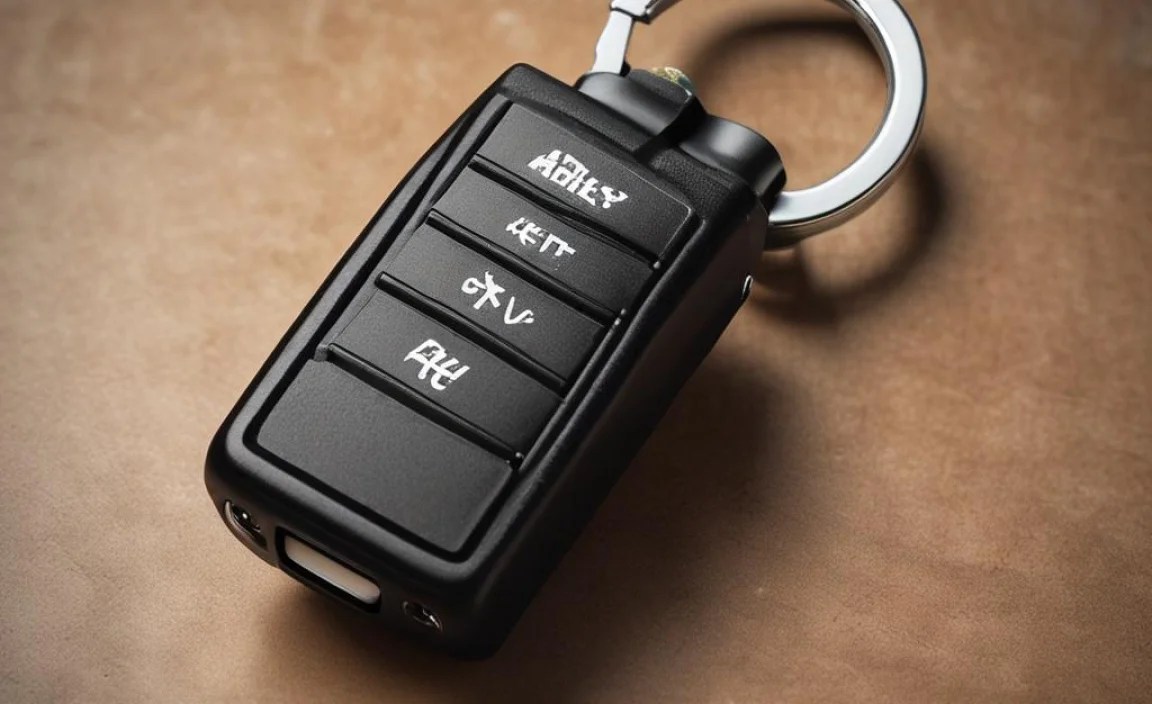
While the CR2032 is the undisputed champion for most Harley key fobs, it’s worth being aware that there might be exceptions. These are typically for older models or perhaps specialized aftermarket fobs. If a CR2032 doesn’t fit or look like the one you removed, consider these other possibilities:
- CR2016: These are thinner than CR2032s (1.6 mm thick) but have the same 20 mm diameter.
- CR2025: These are also 20 mm in diameter but are slightly thinner than a CR2032 (2.5 mm thick).
- CR1632: These are smaller in diameter (16 mm) and 3.2 mm thick.
It’s always worth double-checking your owner’s manual or the old battery itself to avoid buying the wrong size. For instance, a Duracell 2032 Lithium Coin Battery page shows a clear diagram of what a CR2032 looks like, often helping people visually confirm if theirs matches.
When Might You Need a Different Battery?
As mentioned, older Harley-Davidson models might have used different fob designs with different battery requirements. If your bike is from, say, the late 1990s or very early 2000s, it’s more likely that a less common battery size might be used compared to the generations that followed. Additionally, if you have an aftermarket alarm system or key fob that wasn’t originally installed by Harley-Davidson, it will have its own specifications, which could be anything. Always refer to the documentation that came with your specific key fob.
How to Replace Your Harley Key Fob Battery: A Step-by-Step Guide

Ready to swap out that old battery? It’s a genuinely simple process that shouldn’t take more than a few minutes. You’ll need a few basic items, but nothing specialized.
Tools You’ll Need:
- The Correct Replacement Battery: Most likely a CR2032.
- A Small Flathead Screwdriver or Plastic Pry Tool: For gently separating the fob casing. A plastic tool is preferred to avoid scratching.
- A Soft Cloth: To clean the inside of the fob if needed.
The Replacement Process:
- Locate the Seam: Hold your key fob in your hand. Look carefully around the edges for a small seam where the two halves of the plastic casing meet.
- Insert the Pry Tool: Find a small notch or place along the seam where you can carefully insert the tip of your small flathead screwdriver or plastic pry tool. Be gentle; you don’t want to force it or damage the plastic.
- Gently Pry Open: Twist the screwdriver slightly or gently lever the pry tool to create a small gap between the two halves. Work your way around the seam if necessary, or you might find a specific point where it pops open more easily. Some fobs have a small slot specifically for this purpose.
- Separate the Halves: Once you have a small gap, you can usually gently pull the two halves of the fob apart. They might be held together with small clips, so don’t yank them apart forcefully.
- Identify and Remove the Old Battery: You’ll see the coin-cell battery sitting in a holder in one of the halves. It might be held in by a small clip or simply fit snugly. Carefully note which way the battery is oriented (which side is facing up). You can usually gently pry it out with your fingernail or the tip of your screwdriver.
- Install the New Battery: Take your new CR2032 (or the correct size for your fob) battery. Place it into the battery holder with the correct orientation. The positive side (usually marked with a “+” and often having text on it) typically faces upwards or outwards, depending on the fob design. Ensure it sits flat and securely.
- Reassemble the Fob: Carefully align the two halves of the key fob casing. Press them together firmly until they snap back into place. You should hear or feel small clips engaging.
- Test the Fob: Once reassembled, take your key fob to your motorcycle. Try arming and disarming the security system. You should hear the usual confirmation beeps or see turn signals flash. Test the ignition function to ensure it’s communicating properly with the bike.
It’s always a good idea to check your motorcycle’s official service manual for any specific instructions that might apply to your year and model, as there can be slight variations.
Tips for a Smooth Battery Replacement:
- Work on a Clean Surface: To avoid losing small parts or getting dirt inside the fob.
- Be Gentle with Plastic: The plastic casing can be brittle, especially on older fobs. Avoid excessive force.
- Note Orientation: Pay close attention to how the battery is positioned before you remove it. Putting it in backward will prevent it from working.
- Consider a Pair: If one battery is dying, the other fob might not be far behind. It’s often convenient to replace both if you have a two-fob system.
- Clean Contacts: If the fob was working intermittently even with a new battery, you might need to gently clean the battery contacts inside the fob with a pencil eraser or a cotton swab dipped in isopropyl alcohol (make sure it dries completely before reassembling).
Troubleshooting Common Key Fob Issues
Even after replacing the battery, you might encounter a few hiccups. Don’t despair; many common issues have simple solutions.
Fob Still Not Working After Battery Change:
This is the most frustrating. If you’ve put in a brand-new, correctly oriented battery and the fob is still unresponsive, here are a few things to try:
- Check Battery Orientation: Double-check that the battery is inserted correctly. The positive (+) side is usually marked and often faces upwards.
- Try Another New Battery: While rare, a new battery can sometimes be dead on arrival (DOA). Try a different brand or fresh pack.
- Clean Battery Terminals: Ensure the metal that contacts the battery is clean and not corroded. A pencil eraser can often clean these up.
- Test the Fob Signal: Some Harley models allow you to resynchronize the fob. Check your owner’s manual for synchronization procedures. This might involve a sequence of turning the ignition on and off while pressing fob buttons.
- Internal Fob Damage: If the fob has been dropped or exposed to moisture, internal components might be damaged. This might require professional repair or replacement of the fob itself.
Key Fob Range Issues:
If the range seems shorter than it used to be, even with a new battery, consider these factors:
- Antenna Interference: Other electronic devices, especially high-power ones, can sometimes interfere with the radio signal between your fob and the bike.
- Weak Battery (Still): Even a new battery can have its limitations. A slightly weaker signal might be more susceptible to interference.
- Fob Signal Strength: Internal components of the fob could be degrading, leading to a weaker transmission signal.
- Bike’s Receiver: The receiver unit on the motorcycle could also be experiencing issues, though this is less common than a fob problem.
For radio frequency interference, it’s useful to consult resources on RF basics. For example, the Federal Communications Commission (FCC) website provides general information on radio frequency safety and principles, which can help understand how signals work and can be impacted.
Water Damage:**
Harley fobs are generally designed to be relatively water-resistant, but they aren’t waterproof. If your fob has been submerged or exposed to heavy rain for an extended period, corrosion can set in. If you suspect water damage:
- Remove the battery immediately.
- Open the fob and let all moisture dry out completely. You can place it in a bowl of uncooked rice for a few days.
- Clean any visible corrosion from the battery contacts and circuit board with isopropyl alcohol and a soft brush/swab.
- Allow everything to dry thoroughly before reinserting a new battery and testing.
If water damage is severe, the fob may need to be replaced. A qualified motorcycle technician or a specialized electronics repair shop might be able to help.
Battery Life and Longevity
How long can you expect your Harley key fob battery to last? It’s not a fixed number, as usage patterns can vary significantly from rider to rider. However, understanding the factors that influence battery life can help you estimate and manage it.
Factors Affecting Battery Life:
- Frequency of Use: The more you use your key fob (arming, disarming, using panic buttons, etc.), the faster the battery will drain.
- Proximity Alert Systems: Some fobs have proximity features that constantly communicate with the bike to determine if you’re nearby. This can drain the battery more quickly than manual button presses.
- Signal Strength and Interference: As mentioned, strong radio interference can cause the fob to transmit with more power for longer periods, draining the battery faster.
- Battery Quality: Higher-quality batteries from reputable brands tend to last longer and perform more consistently than cheaper, unbranded options.
- Environmental Conditions: Extreme temperatures can impact battery performance and lifespan. Very cold or very hot conditions can reduce the effective life of the battery.
Typical Lifespan:
For a typical rider, a CR2032 battery in a Harley key fob can last anywhere from 18 months to 3 years. Some riders might get even longer, while those who use their fobs extensively or in challenging conditions might see it last closer to the 1-year mark. This is why noticing the signs of a dying battery early is so important.
When to Replace Preventatively:
If you’re planning a long road trip or know you’ll be in a remote area where getting a replacement battery might be difficult, it can be wise to replace your key fob battery preventatively. If your fob is approaching the 1.5 to 2-year mark and you don’t remember the last time you changed it, consider swapping it out before it dies unexpectedly.