The right battery for your Vivint control panel ensures seamless operation and reliable security. This guide helps you find the perfect replacement, offering clear steps for identification, purchase, and installation, keeping your home safe and powered.
Battery For Vivint Control Panel: Essential Power Solution
Is your Vivint control panel blinking an error light or acting strangely? A weak or dead battery could be the culprit behind these frustrating issues. Keeping your home security system running smoothly is crucial, and the battery is its heart. Don’t worry if you’re not a tech expert; understanding your Vivint panel’s battery needs is simpler than you think.
This guide will walk you through everything you need to know. We’ll help you identify the correct battery, explain where to find it, and even give you tips on how to replace it. By the end, you’ll feel confident in keeping your Vivint system powered up and your home protected.
Why Your Vivint Control Panel Needs a Reliable Battery

Your Vivint control panel is the brain of your home security system. It’s responsible for communicating with all your devices – door/window sensors, motion detectors, cameras, and more. When the main power goes out, your system doesn’t just stop working. It relies on a backup battery to keep everything online and sending you alerts.
This backup battery is like a lifeline. It ensures that even during a power outage, your alarm can still detect intrusions and notify you and the monitoring center. A healthy battery means peace of mind, knowing your home is protected 24/7. A failing battery, however, can lead to:
- False alarms.
- Loss of connectivity to sensors.
- Inability to arm or disarm your system.
- The panel shutting down completely.
Regularly checking and replacing your Vivint control panel battery is a small task that prevents big security headaches.
Identifying the Right Battery for Your Vivint Control Panel

Finding the correct battery might seem tricky, but there’s a straightforward way to figure it out. Vivint panels use specific types of batteries, and using the wrong one won’t work and could potentially damage your system.
Common Vivint Panel Models and Their Batteries
Vivint has used several different control panel models over the years. The most common ones are the Go!Control (also known as the 2GIG GC2) and the SkyControl. Each typically uses a specific type of rechargeable lithium-ion battery pack or individual lithium-ion cells.
How to Find Your Panel Model:
- Look on the back or side of your control panel. There’s usually a sticker with the model number.
- If you can’t find it, check your original Vivint paperwork or log into your Vivint account online.
- Contact Vivint customer support if you’re still unsure. They can identify your panel based on your account.
Once you know your model, you can search for specific battery replacements. For example, the Go!Control panel often uses a 3.7V 2400mAh rechargeable lithium-ion battery pack. The SkyControl panels might use a similar battery or specific cell configurations.
What to Look For on the Old Battery
The easiest way to ensure you get the right replacement is to look at the battery you’re taking out. Most batteries will have:
- Voltage (V): This is critical. For example, 3.7V is common for lithium-ion.
- Capacity (mAh – milliampere-hour): This indicates how long the battery can power your device. A higher mAh generally means longer life.
- Chemistry: Most modern security panel backups are Lithium-Ion (Li-ion). Older systems might have used NiMH (Nickel-Metal Hydride).
- Part Number or Model Number: This is often the most reliable identifier. Write it down exactly.
- Physical Size and Connector Type: Ensure the new battery matches the dimensions and has the same plug to connect to the panel.
Safety Note: Always handle batteries with care. Never try to puncture, crush, or short-circuit a battery, especially lithium-ion types. If a battery appears swollen or damaged, handle it with extreme caution and consult a professional for disposal.
Where to Buy Your Vivint Control Panel Battery

Once you have the exact specifications of the battery you need, it’s time to find a reliable place to purchase it. You have a few options, each with its pros and cons.
Official Vivint Support vs. Third-Party Retailers
Vivint Support:
- Pros: Guaranteed to be the official, compatible part. Often comes with a warranty. Direct support from Vivint if you have issues.
- Cons: Can be more expensive. May require scheduling a technician, adding labor costs.
Third-Party Retailers (Online & Brick-and-Mortar):
- Pros: Often significantly cheaper. Wider selection available. Can often be purchased and replaced by yourself quickly.
- Cons: Quality can vary greatly. May not be an exact OEM (Original Equipment Manufacturer) fit. Warranty policies differ. Need to be very careful to match specifications exactly.
Reputable online retailers like Amazon, eBay, or specialized battery stores are good places to look. Always check seller reviews and product descriptions carefully. Look for batteries specifically listed as compatible with your Vivint panel model.
Recommended Battery Specifications & Features
When buying a replacement, prioritize these features:
- Exact Voltage Match: This is non-negotiable.
- Capacity (mAh): Aim for a capacity equal to or slightly higher than the original for potentially longer backup time.
- Rechargeable: Ensure it’s a rechargeable type, as these are designed to be charged by the control panel when main power is on.
- Connector Type: Must match the plug inside your control panel.
- Brand Reputation: For third-party options, choose established battery brands known for quality.
Example Search Terms: “Go!Control 2GIG GC2 battery replacement,” “SkyControl 3.0 backup battery,” “Vivint panel 3.7V 2400mAh lithium-ion battery.”
Replacing the Battery: A Step-by-Step Guide
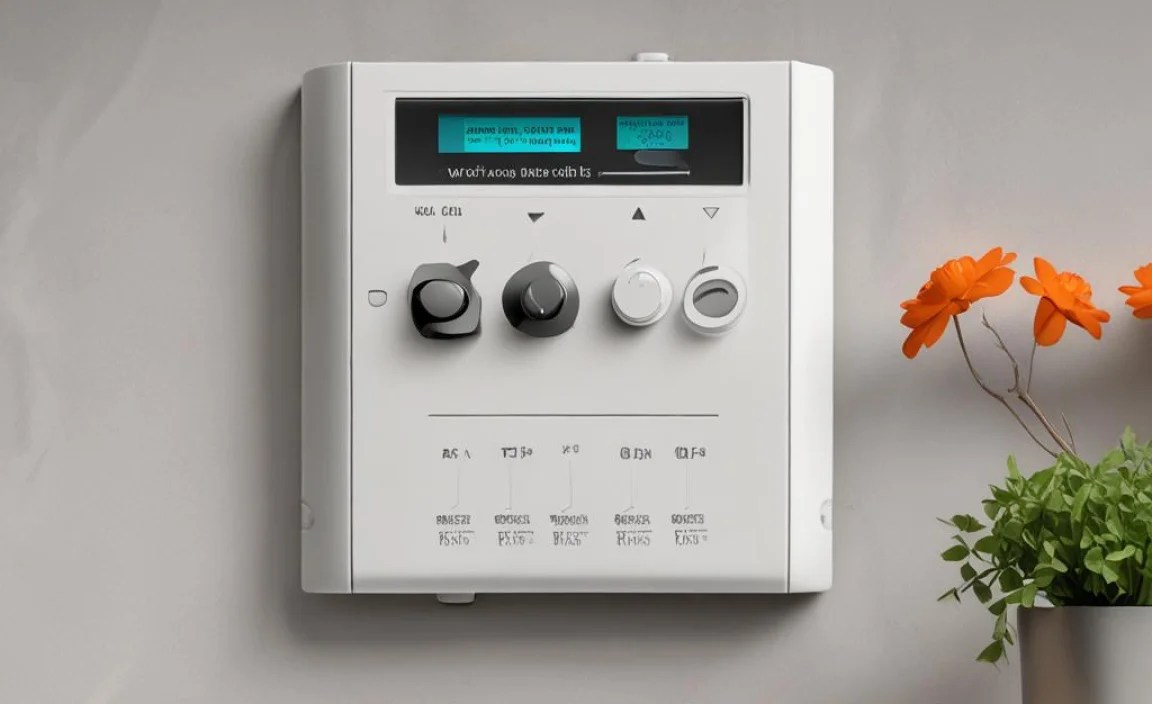
Replacing your Vivint control panel battery is usually a straightforward process that most users can handle safely. However, it’s always best to proceed with caution.
Disclaimer: We recommend consulting your Vivint system’s documentation or contacting Vivint support if you are uncomfortable performing this task. Improper installation can damage the panel. This guide is for informational purposes only, and we are not liable for any damage incurred during the replacement process.
Tools You Might Need
Gather these tools before you start:
- Your new, compatible Vivint control panel battery.
- A small Phillips head screwdriver (the size will depend on your panel model).
- A plastic prying tool or a thin, flat object (like an old credit card) to gently open the panel casing.
- A clean, well-lit workspace.
- (Optional) A soft cloth or microfiber towel.
Step-by-Step Installation
Follow these steps carefully:
- Disarm Your System: First, disarm your Vivint system using your keypad or mobile app. This is a crucial safety step.
- Power Down the Panel: Locate the power adapter for your control panel. Unplug it from the wall outlet and disconnect it from the back of the panel. This completely cuts power to the unit.
- Open the Panel Casing: Most Vivint panels have screws on the back or sides that hold the front cover in place. Carefully remove these screws. Some panels might use small clips; use your plastic prying tool to gently separate the front and back halves of the casing. Be patient; don’t force it.
- Locate the Old Battery: Inside the panel, you’ll see the backup battery. It’s usually a rectangular pack or a cylindrical cell with wires connecting it to the main board.
- Disconnect the Old Battery: Carefully unplug the battery connector from the circuit board. It usually pulls straight out. Note the orientation of the connector.
- Remove the Old Battery: The battery might be held in place with adhesive or clips. Gently lift or slide it out. If there’s adhesive, you might need to carefully peel it off.
- Install the New Battery: Take your new battery and connect its wire plug into the same port on the circuit board. Ensure it’s seated correctly and in the same orientation as the old one.
- Secure the New Battery: Place the new battery in the same spot as the old one. If there was strong adhesive, you might want to use a small piece of double-sided tape or a Velcro strip to secure it, ensuring it won’t rattle around.
- Close the Panel Casing: Align the front and back halves of the panel casing and gently snap them together or secure them with the screws you removed earlier. Don’t overtighten the screws.
- Reconnect Power: Plug the panel’s power adapter back into the wall and then into the panel itself.
- Power Up and Test: The panel should power on. You might hear a chime or see lights indicate it’s starting up. Once it’s fully booted, arm and disarm your system to ensure it’s working correctly. Check the panel screen for any error messages.
Troubleshooting Post-Installation
If the panel doesn’t power on or shows an error:
- Double-check that the battery is correctly connected.
- Ensure the power adapter is securely plugged in at both ends and the outlet is working.
- Verify you purchased the correct battery model.
- If problems persist, contact Vivint support.
Maintaining Your Home Security System’s Power

Replacing the battery is key, but maintaining your system’s overall power health involves a few other considerations.
Battery Lifespan and Replacement Schedule
Backup batteries for security panels are rechargeable, but they don’t last forever. Typically, you can expect a backup battery to last between 3 to 5 years, depending on usage, climate, and the number of power outages it experiences.
Signs your battery might be nearing the end of its life:
- Frequent “low battery” or “system battery” alerts on your panel.
- The system seems slower to respond.
- The panel frequently chirps, indicating low battery.
- The panel dies very quickly when main power is lost.
It’s a good practice to check with Vivint occasionally or set a reminder for yourself to test your battery’s health. Many Vivint panels allow you to check the battery status via the panel itself or the app.
Understanding Power Outages and Battery Impact
When a power outage occurs, your Vivint system automatically switches to its backup battery. The length of time your system will run on battery power depends on:
- Battery Capacity (mAh): A higher capacity means longer run time.
- System Load: If you have many sensors and a camera connected and active, they consume more power.
- Battery Age and Health: An older, weaker battery will drain much faster.
For typical home use, the battery should keep your system running for several hours, usually enough to get through short outages or provide time to address longer ones. However, if you live in an area prone to frequent or extended power outages, ensuring your backup battery is in top condition is paramount.
For long periods without power, consider how you’ll keep essential devices charged. A mobile phone charged via a power bank or car charger can be vital for communication.
Other Power-Related Tips for Your Home Security System
- Keep Your Panel Accessible: Ensure the control panel isn’t blocked or hidden behind furniture, especially in case of emergency.
- Regular Testing: Periodically test your system (in test mode, if available, or by simulating an event to see if it registers) to ensure all components are communicating.
- Firmware Updates: Keep your Vivint panel’s firmware up-to-date. Updates can sometimes optimize power management.
- Environmental Factors: Extreme temperatures can affect battery performance. While the panel is designed for indoor use, avoid placing it in unconditioned spaces like garages or attics if possible.
Frequently Asked Questions About Vivint Control Panel Batteries
What happens if my Vivint control panel battery dies?
If your Vivint control panel battery dies, your system will lose its backup power. It will likely stop functioning until main power is restored, and you may receive alerts indicating a low battery. This could compromise your home security during a power outage.
Can I use any battery to replace my Vivint panel battery?
No, it’s crucial to use the specific type of battery recommended for your Vivint panel model. Using the wrong battery can prevent it from working, damage the panel, or cause safety issues.
How often should I replace my Vivint backup battery?
Generally, backup batteries for security panels need replacement every 3 to 5 years. This can vary based on usage, environmental conditions, and the quality of the battery.
How can I check the battery status of my Vivint panel?
You can usually check your Vivint panel’s battery status directly on the control panel’s screen or through the Vivint smart home app. It often displays as a percentage or an indicator icon.
Is it safe to replace the Vivint panel battery myself?
Yes, it is generally safe to replace the battery yourself if you follow the instructions carefully. Always ensure the system is disarmed and unplugged from its main power source before attempting to open the panel or change the battery.
Where is the best place to buy a replacement battery?
You can purchase replacement batteries directly from Vivint, or from reputable third-party online retailers like Amazon or specialized battery stores. Always ensure the battery model and specifications precisely match your panel’s requirements.
Choosing the Right Battery for Related Devices
While focusing on your Vivint panel, it’s helpful to remember how batteries power other crucial devices in your life, from your car to your phone. Understanding these can offer parallel insights into power solutions.
Car Batteries: The Heart of Your Vehicle
Similar to your security panel, your car relies on a battery (typically a lead-acid battery) to start the engine and power its electrical systems. Car batteries have a much higher requirement for cranking amps to start a car and different maintenance needs.
Key Car Battery Points:
- Lifespan: Usually 3-5 years.
- Testing: Can be tested at auto parts stores.
- Replacement: Often a DIY job, but can be complex if not familiar.
- Symptoms of Failure: Slow engine crank, dim headlights, warning lights.
Understanding your car battery’s health is vital for reliable transportation. For more details on choosing and maintaining car batteries, resources like the EPA’s information on battery types can be very insightful.
Phone Batteries and Power Banks: On-the-Go Power
Your smartphone, like your Vivint panel, uses rechargeable lithium-ion batteries. These batteries degrade over time, leading to shorter usage between charges.
Phone Battery & Power Bank Tips:
- Lifespan: Phone batteries typically last 2-3 years before significant capacity loss.
- Charging Safely: Use reputable chargers and avoid extreme temperatures.
- Power Banks: These portable chargers are essential for extending phone life when away from an outlet, like a backup battery for your phone.
- mAh Capacity: Power bank capacity (measured in mAh) determines how many times you can recharge your phone. A 10,000 mAh power bank can often charge a typical smartphone 2-3 times.
Choosing the right charger and an appropriately sized power bank can ensure you’re always connected.